Controller: {"enable_thinking": false, "image_scale": 2, "invoke_on": "frame_change", "kind": "vlm_pending", "max_tokens": 256, "memory": "harness_pending", "model_id": "ByteDance-Seed/UI-TARS-1.5-7B", "pending_radius_px": 10, "pending_timeout_ns": 10000000000, "prompt_version": 7, "reasoning_effort": null, "temperature": 0.0}
Recorded frames from the first decision to the last receipt, every 4th frame, time compressed 10×; red = committed click.

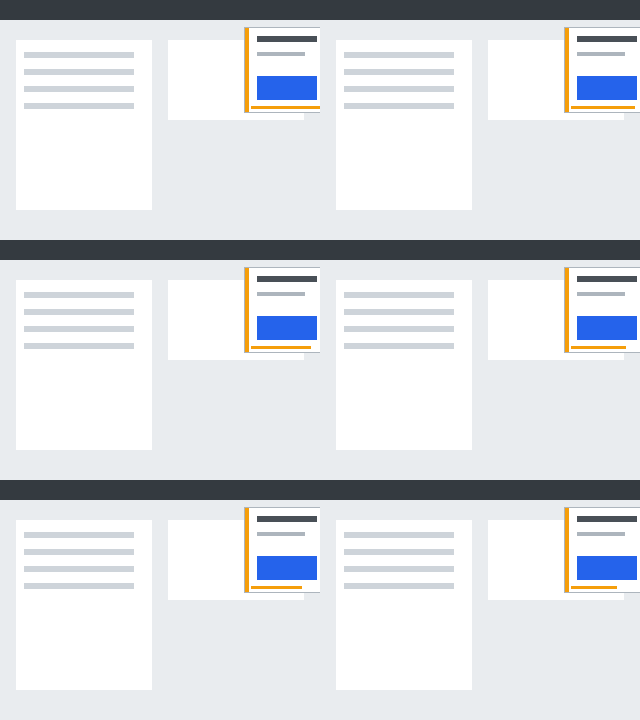
Key frames: each decision's starting frame with the click it produced (amber = proposal before binding, red = committed, grey = suppressed), then the screen at each arrival A (green = valid).
You are a GUI agent. You are given a task and your action history, with screenshots. You need to perform the next action to complete the task.

## Output Format
```
Thought: ...
Action: ...
```

## Action Space

click(point='<point>x1 y1</point>')
wait() #Sleep for 5s and take a screenshot to check for any changes.

## Note
- Use English in `Thought` part.
- Write a small plan and finally summarize your next action (with its target element) in one sentence in `Thought` part.

## User Instruction
At some point a notification card with a blue button appears on the desktop and expires shortly after. If the card is visible, click the center of its blue button. If no card is visible, wait.

[user] Screenshot attached. Click the target's center or wait.
| # | B | model done B→D | model response (raw) | parsed | action (canvas px) | D (commit) | A (receipt) | out tokens |
|---|---|---|---|---|---|---|---|---|
| 1 | 531 ms | 6,266 ms 5.73 s | Thought: I noticed a blue notification card appearing on the right side of the screen, which is exactly what we were looking for. According to the task requirements, I need to click the center of this blue button to complete the action. Let me move the mouse over and click it. Action: click(start_box='(576,173)') | click img (576, 173) | {'kind': 'click', 'x': 286, 'y': 87} | 6,266 ms | 6,286 ms · accepted | 76 |
| 2 | 6,397 ms | 11,752 ms 5.36 s | Thought: I noticed a blue button on the right side of the page, which is exactly what I was looking for. According to the task requirements, I need to click on this button. So, I'll go ahead and click it to complete the task. Action: click(start_box='(578,173)') | suppressed_pending img (578, 173) | {'kind': 'click', 'x': 287, 'y': 87} | — | — | 71 |
| 3 | 11,878 ms | 18,592 ms 6.71 s | Thought: I noticed a blue button on the right side of the page, but I'm not sure if it's the notification card I'm looking for. Let me wait for a moment to see if this button will disappear or if a notification card will appear. After all, the task requires me to click the button only if the notification card is visible, so I need to be patient and wait for the right moment. Action: wait() | wait | — | — | — | 89 |
| 4 | 18,713 ms | 23,770 ms 5.06 s | Thought: I noticed that the page is still loading, and the content hasn't fully appeared yet. I need to wait for a moment to see if the blue notification card will pop up. After all, the task requires me to click on the card, so I can't proceed until it's fully displayed. Action: wait() | wait | — | — | — | 67 |
| id | event | task time | harness time |
|---|---|---|---|
| 1 | target_appears | 500 ms | 500 ms |
| 2 | window_closes | 16,500 ms | 16,500 ms |
| 3 | effect_visible | 14,286 ms | 14,286 ms |
1020 observations published; first frame depicting the target published at 530 ms. Raw trace: live_d8_harness_pending_s401.jsonl.