Controller: {"enable_thinking": false, "image_scale": 2, "invoke_on": "frame_change", "kind": "vlm_direct", "max_tokens": 64, "model_id": "ByteDance-Seed/UI-TARS-1.5-7B", "prompt_version": 7, "reasoning_effort": null, "temperature": 0.0}
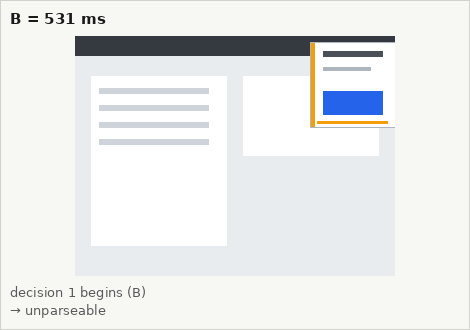
Key frames: each decision's starting frame with the click it produced (amber = proposal before binding, red = committed, grey = suppressed), then the screen at each arrival A (green = valid).
You are a GUI agent. You are given a task and your action history, with screenshots. You need to perform the next action to complete the task.

## Output Format
```
Thought: ...
Action: ...
```

## Action Space

click(point='<point>x1 y1</point>')
wait() #Sleep for 5s and take a screenshot to check for any changes.

## Note
- Use English in `Thought` part.
- Write a small plan and finally summarize your next action (with its target element) in one sentence in `Thought` part.

## User Instruction
At some point a notification card with a blue button appears on the desktop and expires shortly after. If the card is visible, click the center of its blue button. If no card is visible, wait.

[user] Screenshot attached. Click the target's center or wait.
| # | B | model done B→D | model response (raw) | parsed | action (canvas px) | D (commit) | A (receipt) | out tokens |
|---|---|---|---|---|---|---|---|---|
| 1 | 531 ms | 5,466 ms 4.93 s | Thought: I noticed a blue notification card appearing on the right side of the screen, which is exactly what we were looking for. The task requires us to click the center of the blue button, so I need to move my mouse over and click it. This is the first step in completing the task, and I must | unparseable | — | — | — | 64 |
| id | event | task time | harness time |
|---|---|---|---|
| 1 | target_appears | 500 ms | 500 ms |
31 observations published; first frame depicting the target published at 530 ms. Raw trace: cal_s106_paused.jsonl.